
Invoice Types
Desktop POS can issue several types of invoices, each serving a different purpose — from a standard sale to a training run or a proforma quote. Every invoice type can be combined with a Sale or Refund transaction type.
Invoice Types
| Invoice Type | When to Use |
|---|---|
| Normal | A standard fiscal sale or refund — the type used for the vast majority of transactions |
| Copy | An official fiscal copy of a previously issued invoice; requires the original invoice's reference number |
| Training | A non-fiscal invoice used for practice or demonstration; not reported to the tax authority |
| Proforma | A preliminary invoice (quote or estimate) issued before the final sale; not a fiscal record |
| Advance | Collects a deposit or advance payment; linked to a final invoice when the sale is completed — see Advance Invoices |
Transaction Types
Each invoice type is issued as one of two transaction types:
| Transaction Type | Description |
|---|---|
| Sale | Creates a new invoice for a purchase |
| Refund | Creates a linked refund invoice against a prior sale; requires the original invoice's reference number |
The combination you choose — for example, Normal Sale or Normal Refund — determines how the invoice is treated fiscally and what reference information is required.
Training Mode
When Training is selected as the invoice type, Desktop POS enters a non-fiscal mode for that transaction.
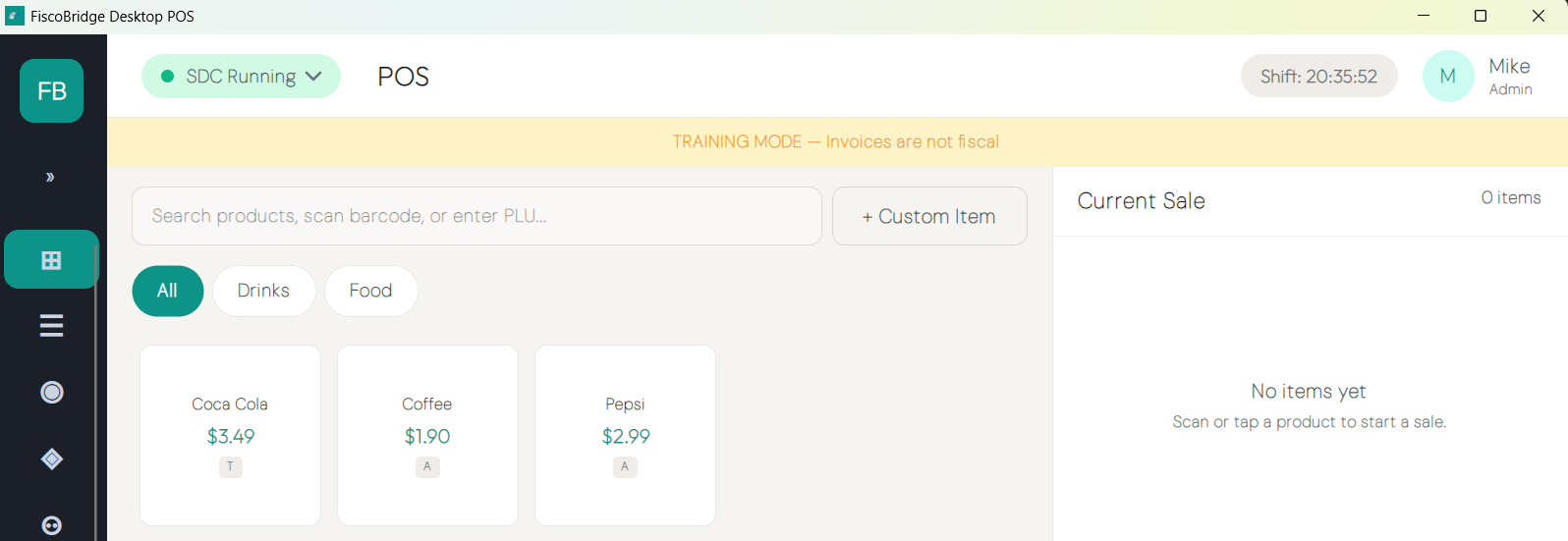
- A prominent banner reading "TRAINING MODE — Invoices are not fiscal" is shown across the top of the sales screen
Invoices issued in training mode are clearly marked TRAINING, are not valid fiscal invoices, and are not reported to the tax authority. Use training mode to practice or train staff without affecting your fiscal records.
Note: Training invoices do not count toward fiscal totals and will not appear on the official daily report. Switch back to Normal for live sales.
To enable Training mode for all sales on this device (not just a single invoice), see the System & Training section in Settings.
Reference Numbers
Some invoice types and transaction types require a reference number — the fiscal number of an existing invoice in the format RequestedBy-SignedBy-OrdinalNumber.
| Scenario | Reference Required? |
|---|---|
| Normal Sale | No (optional — use to link to a prior Advance or Proforma) |
| Normal Refund | Yes — the original invoice being refunded |
| Copy | Yes — the original invoice being copied |
| Advance Sale | No |
| Advance Refund | Yes — the advance invoice being refunded |
Enter the reference number in the Reference Number field in the invoice settings before fiscalizing. Desktop POS validates the format before allowing fiscalization.
Next Steps
- Make a sale — End-to-end guide to completing a sale
- Refunds, copies & cancellations — How to issue refunds and fiscal copies
- Advance invoices — How advance collections and final invoices work