
Integrations Overview
FiscoBridge Integrations connect your existing accounting or business software directly to the fiscal compliance platform. Your invoices are automatically synced and fiscalized — no manual entry, no double work.
How Integrations Work
You create invoices in your accounting software as usual
FiscoBridge syncs them automatically from your connected platform
Invoices are fiscalized — signed and reported to the tax authority
Status updates flow back to your accounting software
You continue working in the tools you already know. FiscoBridge handles compliance in the background.
Supported Platforms
Platform | Type | Connection Method | Status |
|---|---|---|---|
Xero | Cloud accounting | OAuth (automatic) | Available |
Zoho Books | Online accounting | OAuth (automatic) | Available |
QuickBooks | Online accounting by Intuit | OAuth (automatic) | Available |
MYOB | AccountRight & MYOB Business | OAuth (automatic) | Available |
Odoo Accounting | Open-source ERP & accounting | API Key (manual) | Available |
Cloudbeds | Hotel & hospitality PMS | OAuth (automatic) | Available on request |
Custom Integration | Direct API access | API Keys | Available |
ERP Connector | On-premise: MYOB EXO, Odoo Accounting, Sage 300, Odoo Point of Sale | Software installed on your network | Available |
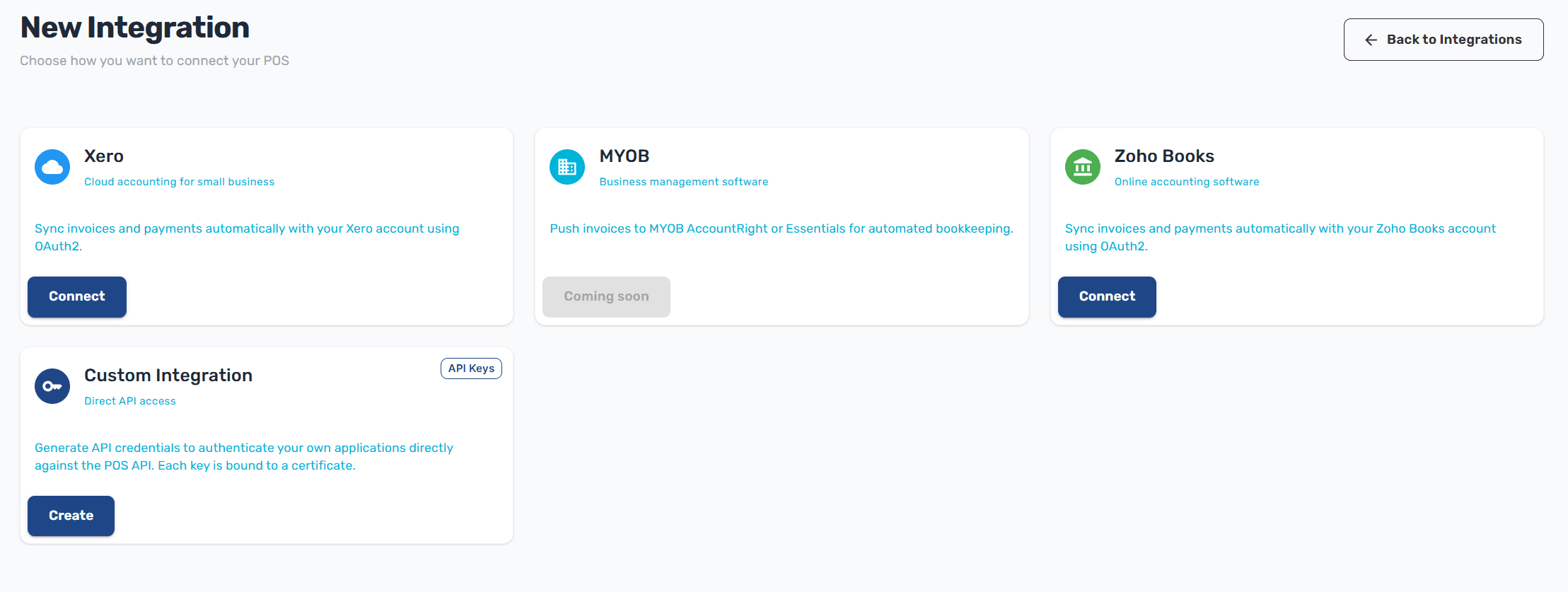
Tip: Don't see your platform? Use the Custom Integration option to get API credentials and integrate any system directly with the FiscoBridge API.
Cloud or on-premise?
Every platform above except ERP Connector is a cloud integration: you authorize it once and FiscoBridge reads and fiscalizes your invoices for you, with nothing to install and nothing to keep running.
ERP Connector covers the systems that cannot be reached that way — an ERP that runs inside your own network, such as MYOB EXO or Sage 300. You install it on a Windows machine beside your ERP, and it fiscalizes through your own SDC. It is licensed per machine with its own activation key rather than through an integration plan — see On-premise integration.
If your platform appears in both lists, the cloud integration is the simpler choice.
Integration Tiers
Tier | Invoices / Month | Key Features |
|---|---|---|
Business | Up to 3,000 | Near real-time sync, auto retry, detailed logs, priority processing |
Professional | Up to 10,000 | Real-time sync, multi-location, advanced reporting |
Enterprise | Custom | Dedicated infrastructure, SLA, custom integrations |
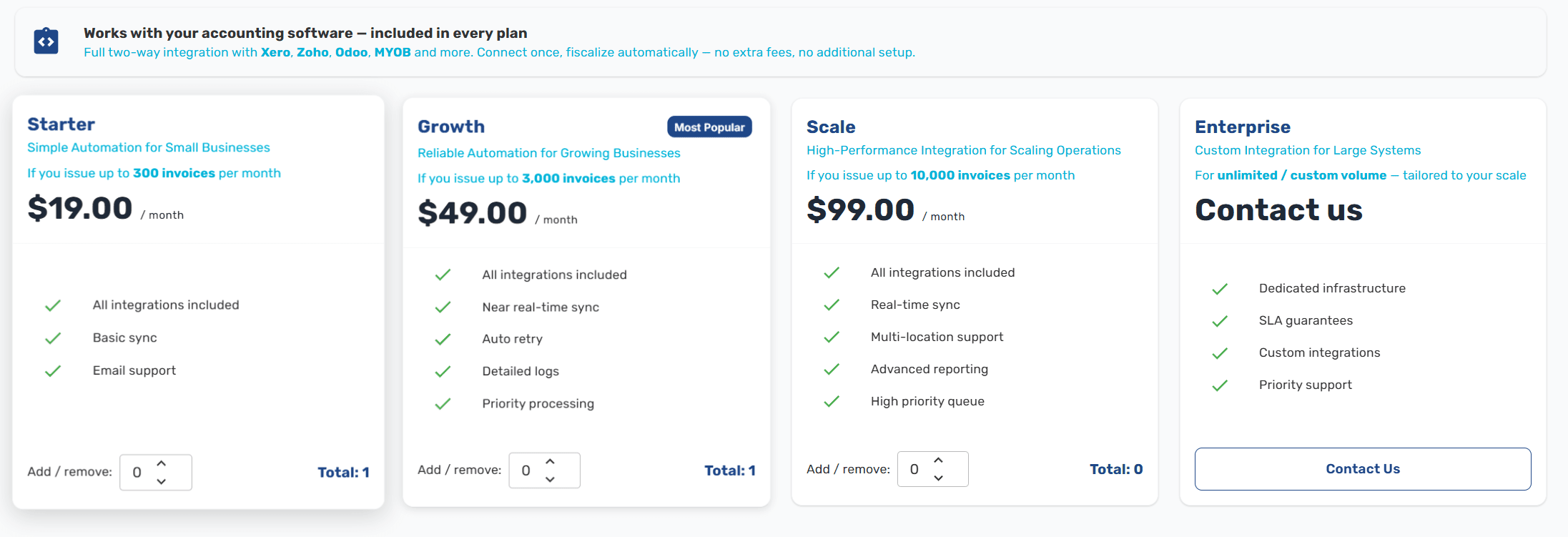
All tiers include access to every supported platform — you're not limited to specific integrations.
What You Need
Before setting up an integration, make sure you have:
A FiscoBridge account with an active integration license
A PFX certificate issued by your tax authority (uploaded during integration setup)
Admin access to your accounting platform (for OAuth-based connections like Xero and Zoho Books)
Next Steps
Connect Xero — Set up automatic sync with Xero
Connect MYOB — Sync from MYOB AccountRight or MYOB Business
Connect Zoho Books — Sync with Zoho Books
Connect QuickBooks — Sync with QuickBooks Online via Intuit OAuth
Connect Odoo Accounting — Sync from Odoo Online or self-hosted via API key
Connect Cloudbeds — Fiscalize guest folios from your Cloudbeds property
Custom Integration — Get API credentials for direct access
On-premise integration — Fiscalize from MYOB EXO, Odoo Accounting, Sage 300 or Odoo POS with ERP Connector
Manage integrations — View and manage your active connections
Invoice limits and usage — Monthly allowances per plan and what happens at the limit
Troubleshooting failed invoices — What error notes mean and how retries work
Using multiple organizations — Connect several companies the right way